Bass
Zesty Drive Bass
Distortion and a ping-pong delay on a mono bass; overlapping notes glide without a new attack.
Open in ChisperChisper is a free wavetable synthesizer that runs in the browser on a computer, a Chromebook or a phone: no download, no account.
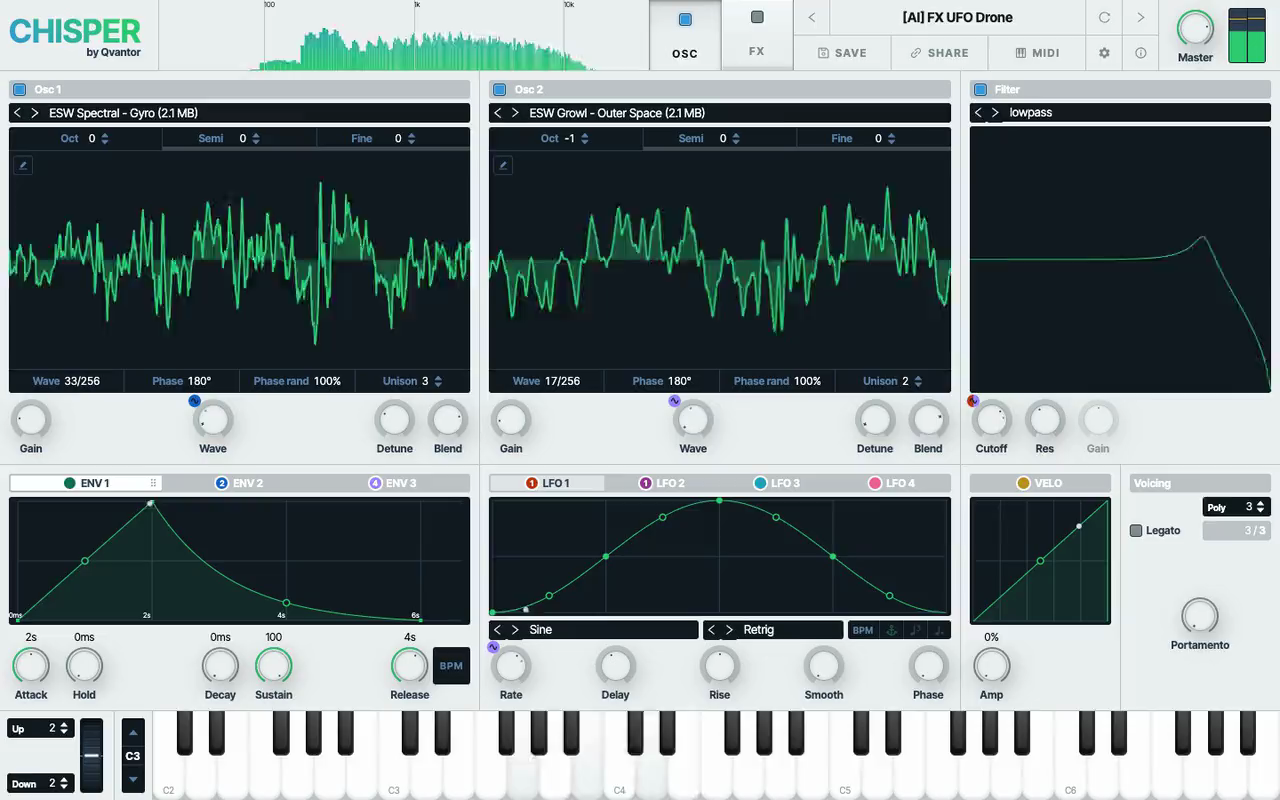
Two wavetable oscillators with supersaw unison of up to 8 voices, a filter in every voice, three envelopes and four LFOs you drag onto any knob, distortion, delay and reverb. Plug in a MIDI keyboard or play the computer keyboard.
Every sound below is a free preset of the Chisper wavetable synth, recorded straight from its output: basses, leads, plucks, keys and FX. Open one in a click, play it on your keyboard, turn any knob and save your own version, no sign-up needed.
Distortion and a ping-pong delay on a mono bass; overlapping notes glide without a new attack.
Open in ChisperA techno lead: LFO 1 moves the wave position, a fast LFO on Fine adds grit, ENV 3 closes the filter; distortion, delay and reverb.
Open in ChisperTwo 8-voice unisons of a Moog saw table an octave apart; LFO 1 moves both wave positions, ENV 2 opens the filter and the drive.
Open in ChisperA wavetable synth plays a table of single-cycle waves (frames) instead of one fixed wave. Moving through the table changes the tone as a note plays: from a soft sine to a bright saw, a vocal formant or a metallic growl. It is the sound of many modern basses, leads and pads.
With Chisper you can make music in any electronic style and beyond, from club tracks to film and game scores. Its basses, leads, pads, plucks, keys and effects fit wherever a synth does.
Chisper is a free online wavetable synth: the same kind of synthesis as desktop wavetable synths, with nothing to install. Open it, pick a table and turn Wave to hear the frames change.
Make a sound change as it plays: the Wave knob moves through a wavetable, and the tone moves with it. Two oscillators play tables of up to 256 frames from a library sorted into folders, each change of frame fading in smoothly. Tables with a morph mark play expanded to 256 frames.
Each oscillator has Oct, Semi and Fine, and Phase and Phase rand set where its voices start.
Envelopes sweep the wave position through two tables, the pitch bend dips a tone and comes back: an ambient sci-fi drone.
Open in ChisperTables of real instruments: a harp and a nylon guitar an octave above, each with its own decay.
Open in Chisper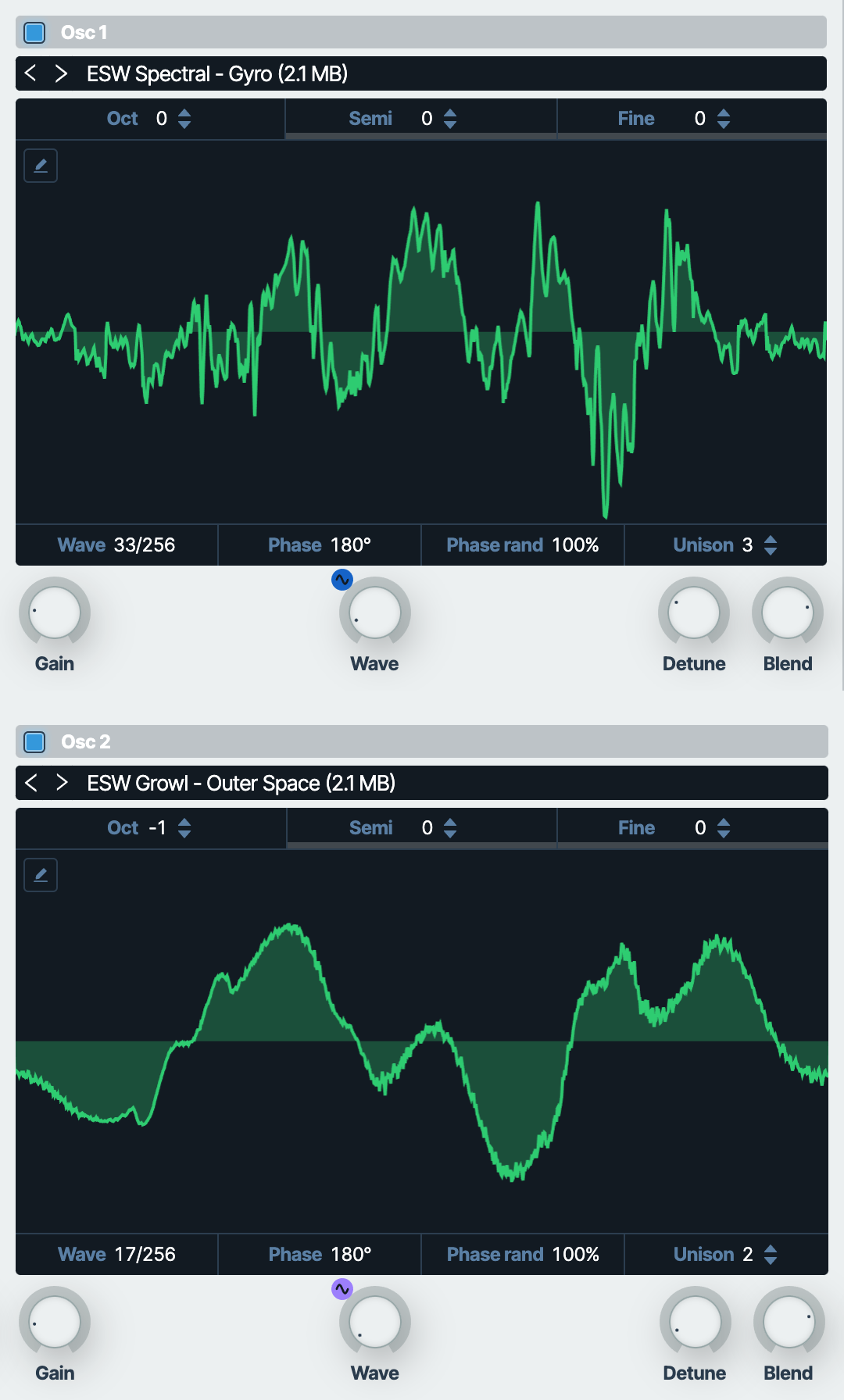
Get the wide, thick supersaw of trance and EDM leads. Up to 8 voices per oscillator: Detune spreads them in pitch, Blend sets the balance of the centre voices and the side ones (75% by default), and the side voices alternate left and right for a wide stereo sound.
8 + 4 unison voices for EDM build-ups; ENV 3 spreads the detune as the riser opens, the bend lifts it two semitones at the end.
Open in Chisper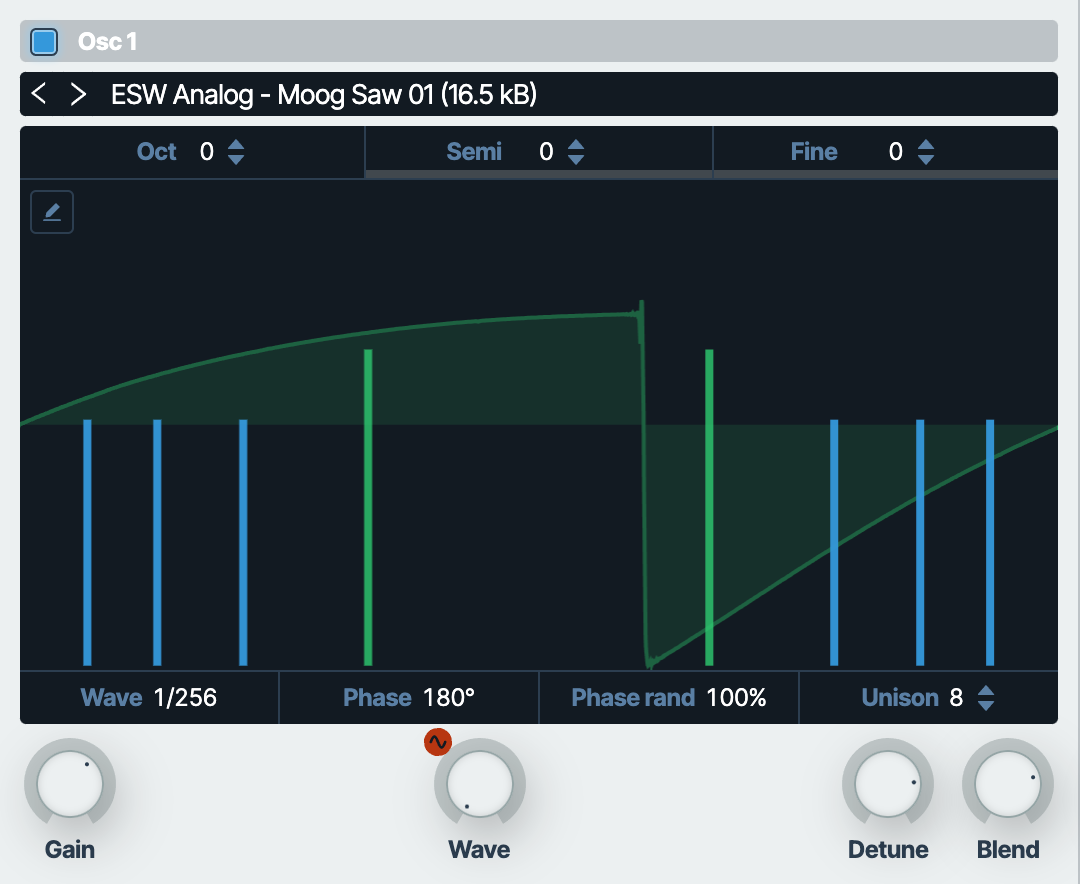
Every note gets its own filter, so an envelope sweeps each note of a chord on its own, as on analog polysynths. Eight types: lowpass, highpass, bandpass, low shelf, high shelf, peaking, notch and allpass, with Cutoff, Res and Gain.
A 303 saw table for acid house and techno; ENV 2 snaps the lowpass open on every note, slides between overlapping notes, a ping-pong delay.
Open in Chisper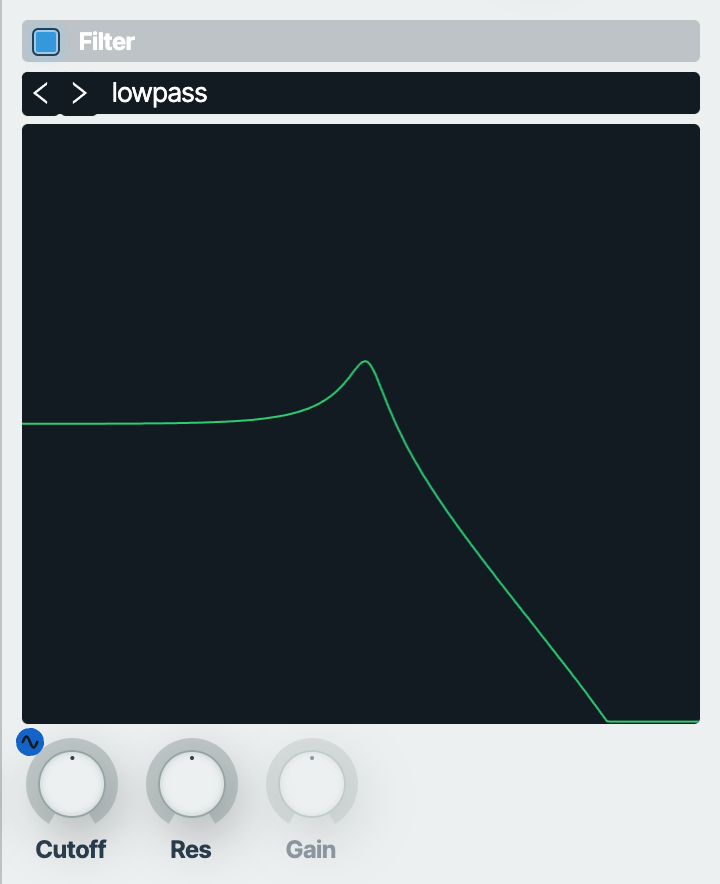
Make any knob move: drag the tab of a source onto it, unipolar or bipolar, with up to 64 routes, 4 per knob. The sources: three envelopes (ENV 1 is the volume) with a curve you bend on each stage, four LFOs with five shapes, shapes of your own drawn as points and ready Sidechain, Rhythm and Steps patterns, and the velocity of each note (VELO).
The LFOs, the times of the envelopes and the delay sync to the tempo, with triplets and dotted notes, or follow a MIDI Clock.
A custom LFO shape chops the volume; ENV 2 speeds the LFO up like a rotor spinning up.
Open in ChisperA Rhodes table in a 2-voice unison over a vibraphone table; ENV 2 on the cutoff, a slow LFO on the gains: tremolo.
Open in Chisper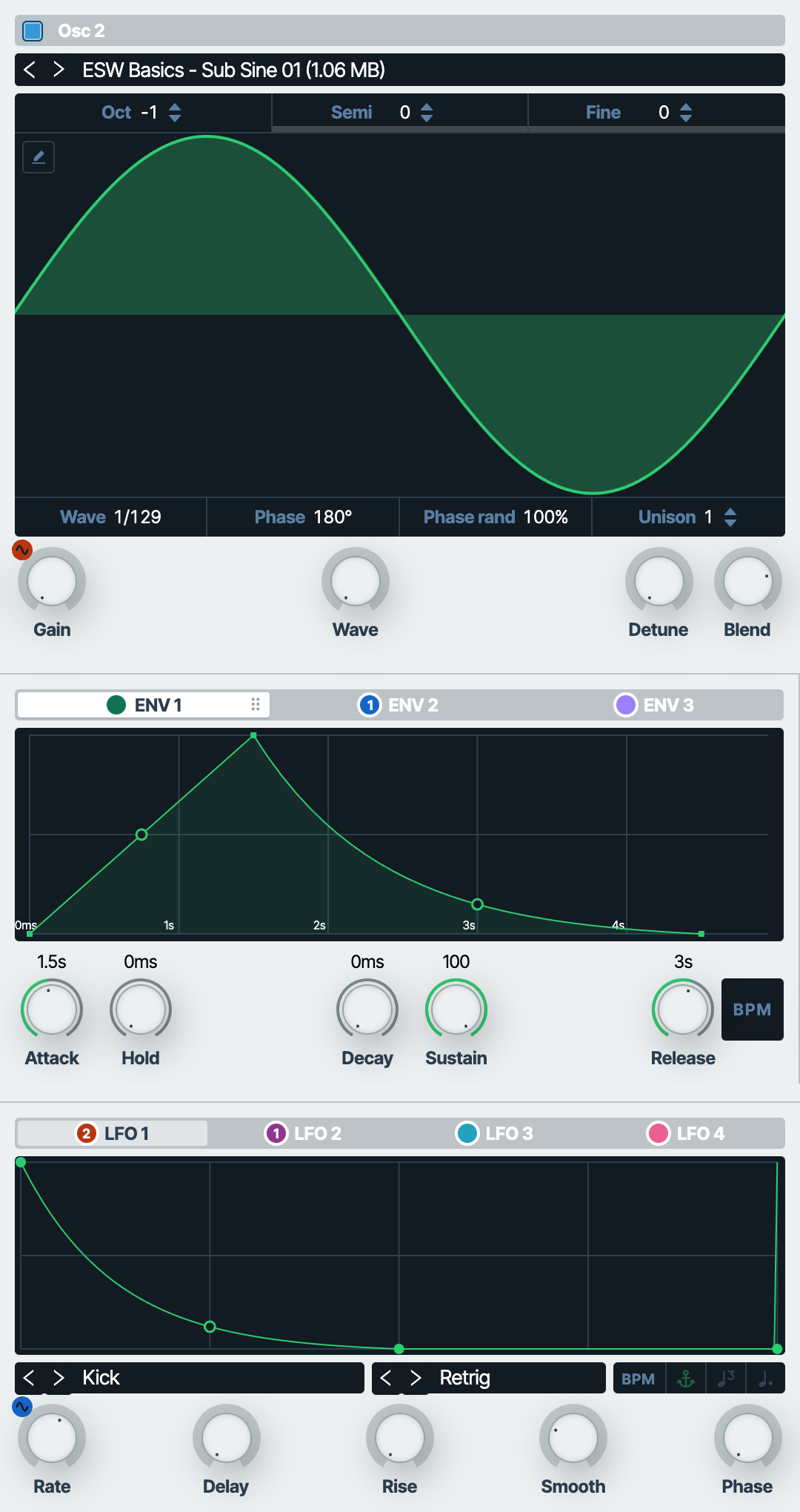
Finish the sound inside the synth: distortion (soft or hard clip, oversampled), a delay (normal or ping-pong, with a band filter in its feedback and a Haas stereo offset) and an algorithmic reverb of 16 lines. Drag them into any order; each has its own Mix and presets. A limiter on the master keeps the output from clipping.
Three pings answered by a long delay and reverb; ENV 2 moves the band of the echoes.
Open in ChisperA Wurlitzer table through soft distortion; two LFOs wobble a short delay: the tape flutter of lo-fi hip hop.
Open in Chisper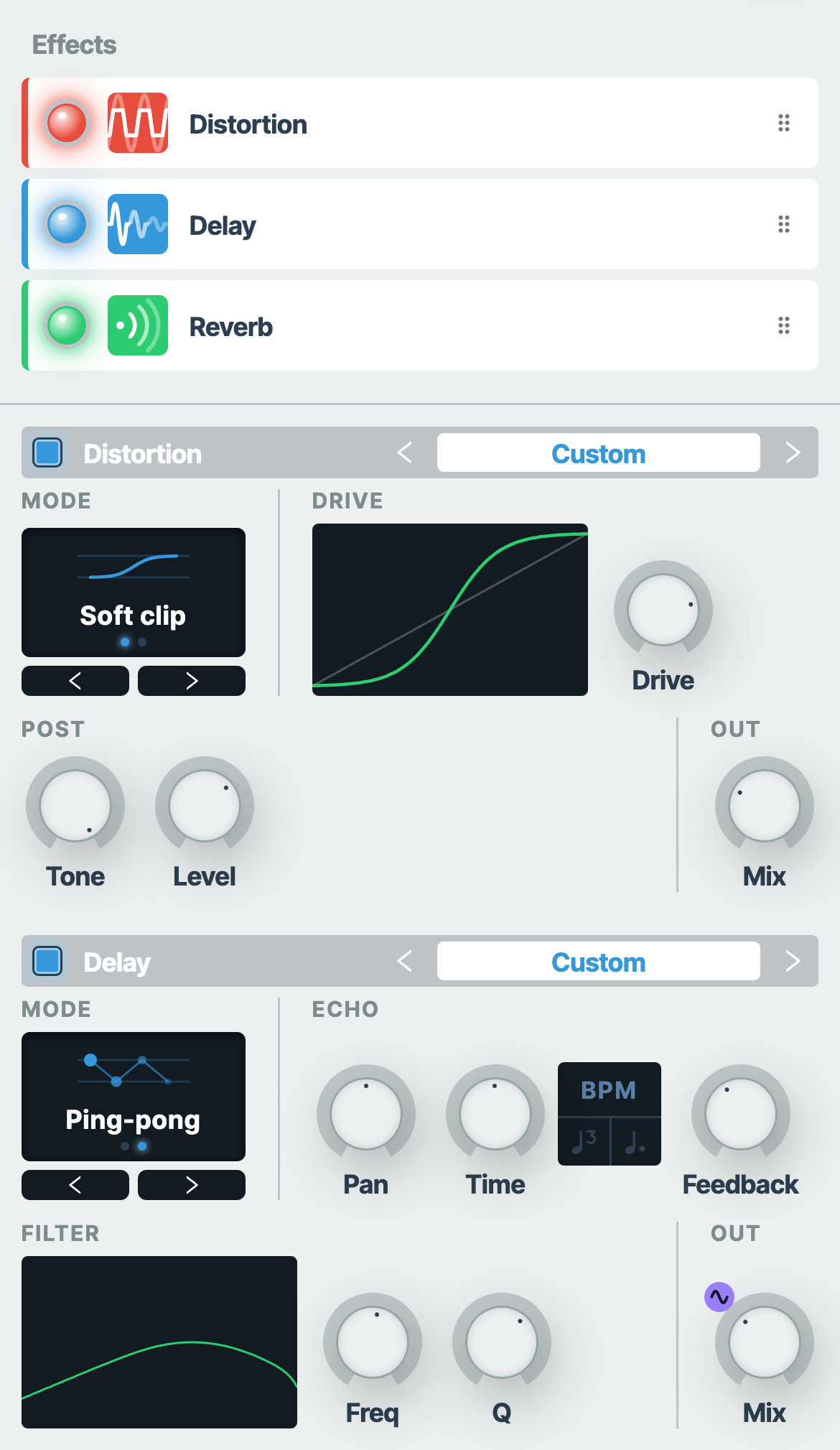
Play it like an instrument: a MIDI keyboard (velocity and pitch bend), the computer keyboard (with an octave shift) or the on-screen piano and its pitch wheel, on a touch screen too. Up to 12 notes in Poly, or mono, with legato and portamento.
Mono legato: every note glides into the next (150 ms portamento), one breath in the middle.
Open in ChisperAn 808-style sub for trap and hip hop, gliding between overlapping notes; best on headphones.
Open in Chisper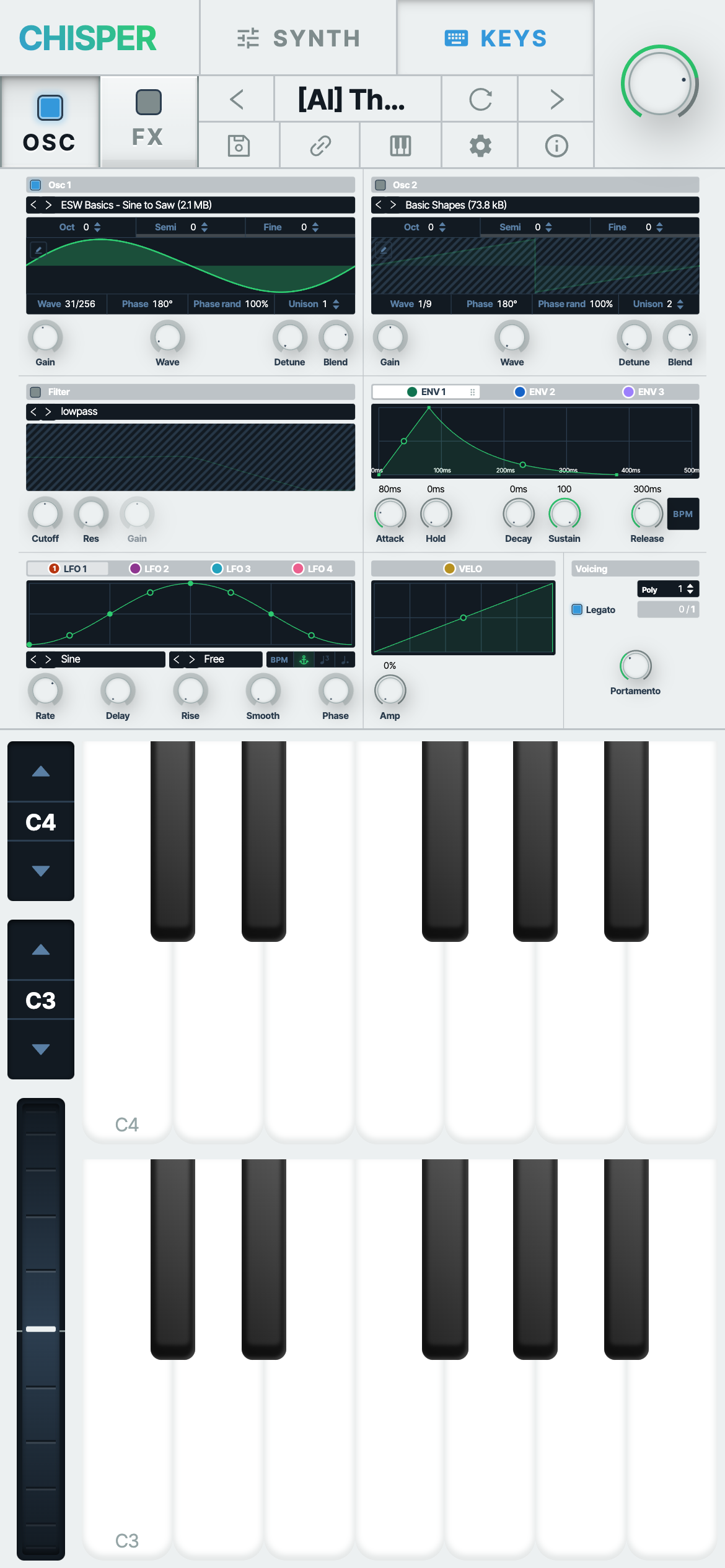
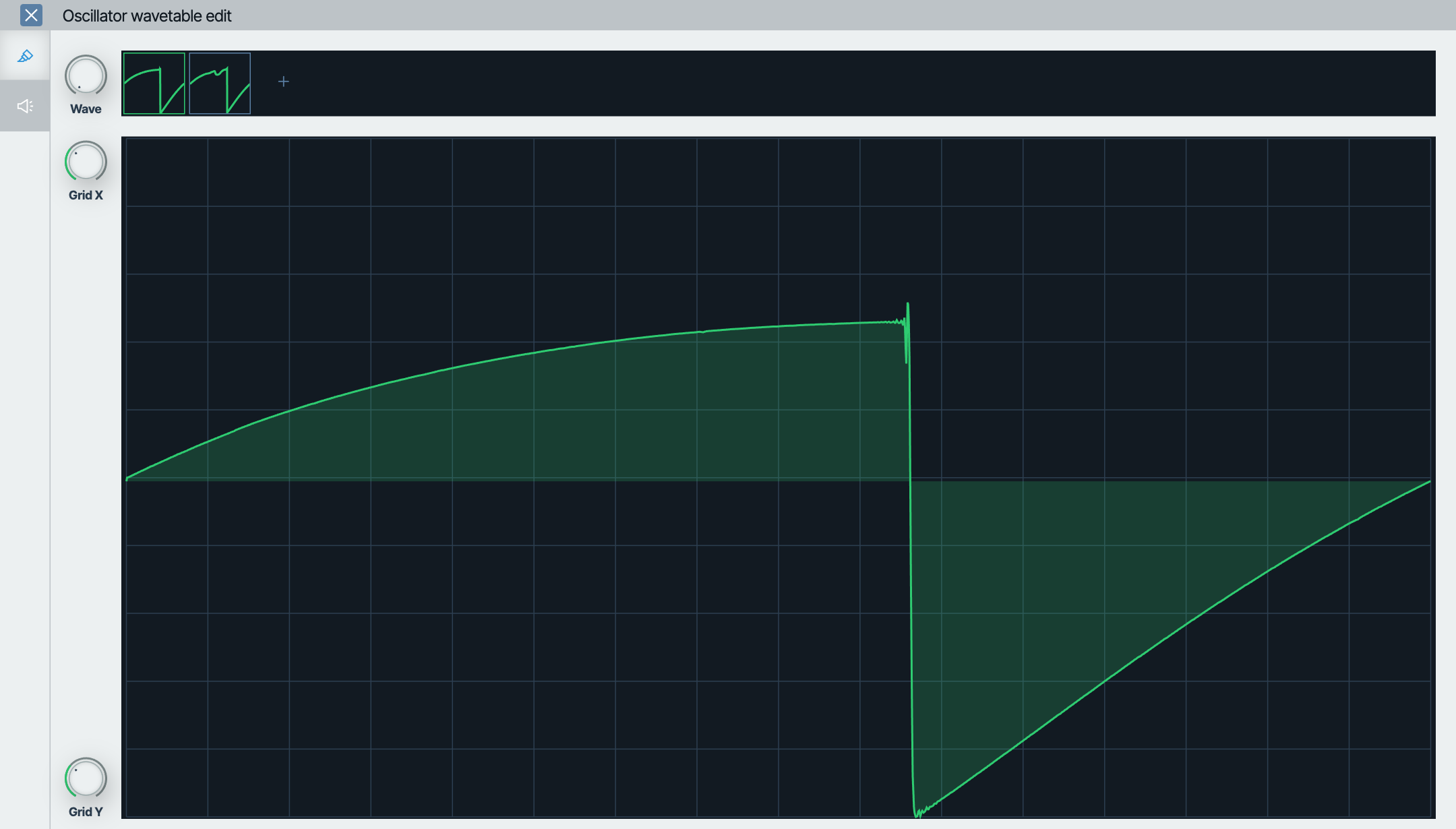
Make wavetables of your own: draw a frame by hand, turn any audio file into a table, or load the WAV wavetables you already have from other synths and wavetable packs (their clm marker is read).
Save a sound without signing up and share it as a link: whoever opens it hears the same sound. Browse the presets of others under Popular or search them by name, and edit your own later from the same browser.
Yes. Chisper is free, with no sign-up.
No. Chisper runs in the browser: Chrome, Edge, Safari and Firefox, on a computer or a phone. Its sound engine is written in Rust and compiled to WebAssembly SIMD. Chrome on a computer has a low-latency mode.
Yes. On a Chromebook, Chisper runs in Chrome as on any computer, MIDI keyboards included, so it works on school and work computers where you can't install software. On iPhone and iPad it runs in Safari (iOS 16.4 or later), on Android in Chrome; on a phone it has a layout of its own, with the keys on a screen of their own. iOS has no Web MIDI: play the keys on screen there.
Yes. Chisper works with MIDI keyboards in browsers with Web MIDI: Chrome, Edge, Opera and Firefox on a computer, Chrome on Android. Safari (and every browser on iPhone and iPad) has no Web MIDI: play the computer keyboard or the on-screen piano there. Chisper reads notes, velocity, pitch bend and MIDI Clock.
Yes. Chisper shows what each knob does as you turn it: the wave each oscillator plays, the voices of the unison while Detune is held, the response of the filter, the envelopes and LFOs as curves with a dot of the note playing. Open any preset to see how its sound is made, change it and hear the difference.
Yes. Chisper loads any WAV wavetable of 2048-sample frames, from other wavetable synths or wavetable packs (its clm marker is read). You can also make a table from a short audio file or draw one by hand.
Yes. The sounds you play on Chisper are yours to use in your tracks, commercial releases included.
Save it as a preset in Chisper and copy its link: whoever opens the link hears the same sound.
Yes. The source code of Chisper is on GitHub, under the PolyForm Noncommercial license.
No download, no account: open Chisper and play the computer keyboard, a MIDI keyboard or the keys on screen.
Open the synth